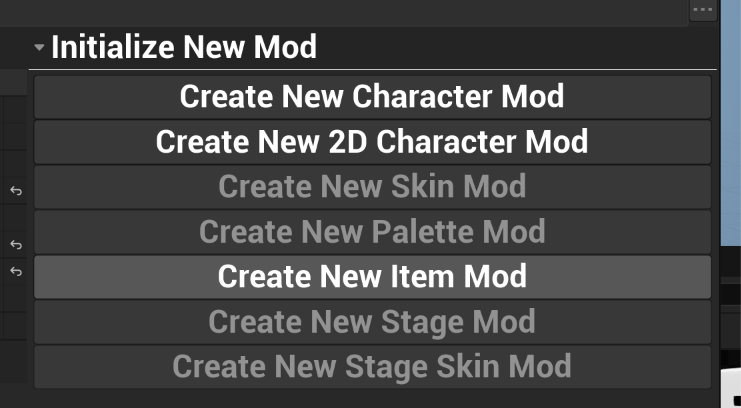
To create an item, click “Create New Item Mod” from the Initialize New Mod menu and assign a name and description.
There are several important assets created at this point:
- The Item Data (“Item_Name”) contains metadata such as the item’s name and description, this is what registers your item with the game.
- The Article Data (“ART_Item_Name”) contains all the core gameplay.
- The Article Renderer contains the main visuals.
In terms of gameplay functionality, an item is just an article registered as a standalone mod via the Item Data. Functionality is identical to any other article.
Visuals
Item visuals can be authored using all of the same concepts as Characters.
Portrait/Icon
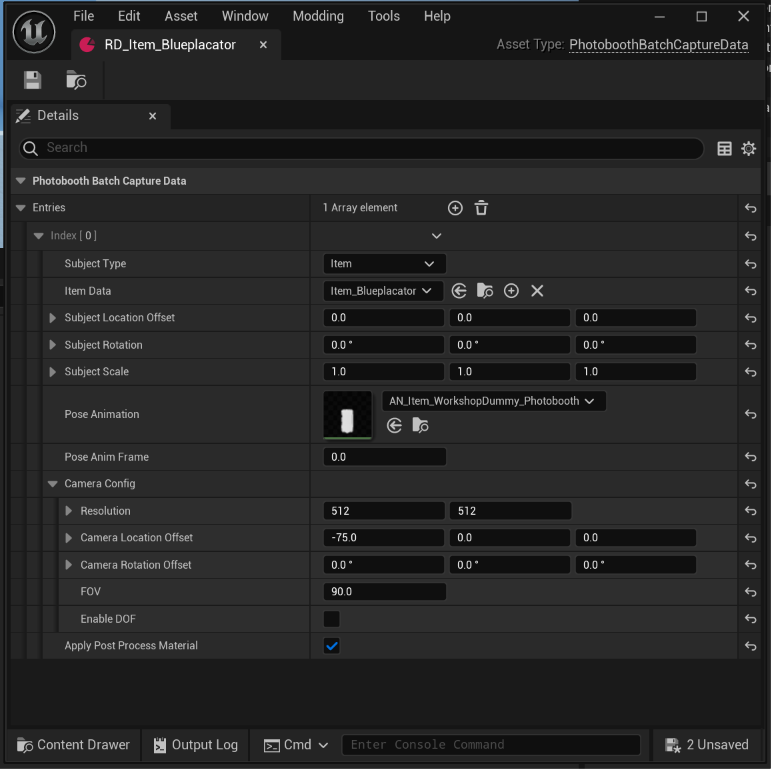
Item mods are generated with a template Sandbert icon, and render data file (RD_).
Item icons can be captured by right clicking on their icon in the modding UI and selecting Generate Icon. If changes are needed for the camera angle, or item pose you can edit them in the Render Data file.