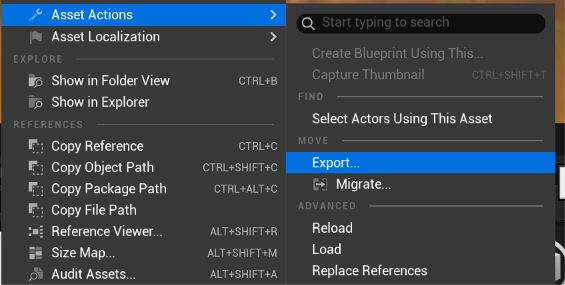
You can export any model, animation, texture or other content file from the workshop by selecting the asset in the content browser and right clicking, then selecting Asset Actions/Export.
Reminder that mesh and animation content in the workshop has been authored in Maya and converted to Unreal coordinate systems and therefore may not be compatible or follow the same conventions recommended for use in Blender.
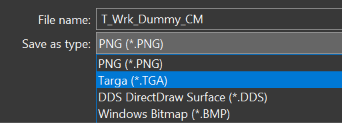
Textures should be exported as .TGA (can be selected when choosing your export directory in the bottom dropdown menu) if you want to preserve individual alpha channel editing capability.
Models should be exported in .FBX format to then import them into Unreal.
If you wish to export an animation with visible geometry be sure to enable Export Preview Mesh.
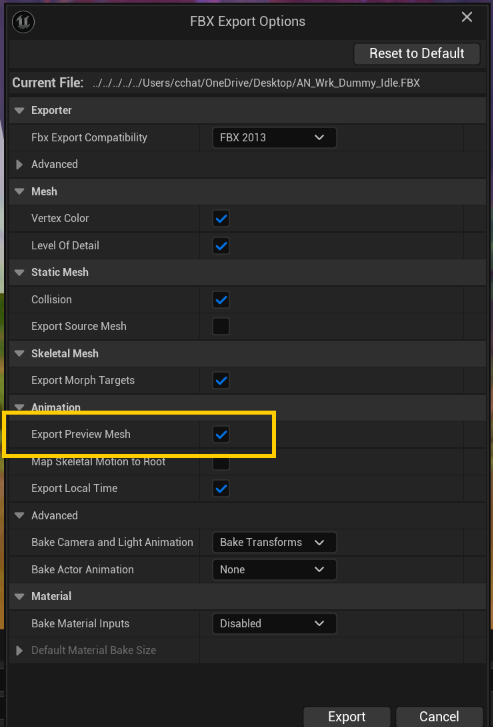
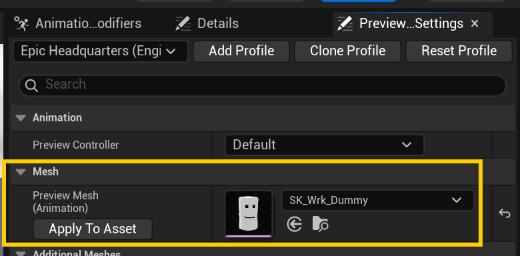
If you want to change the exported preview mesh of an exported animation open the animation sequence in unreal and set the preview mesh in the preview settings panel first.