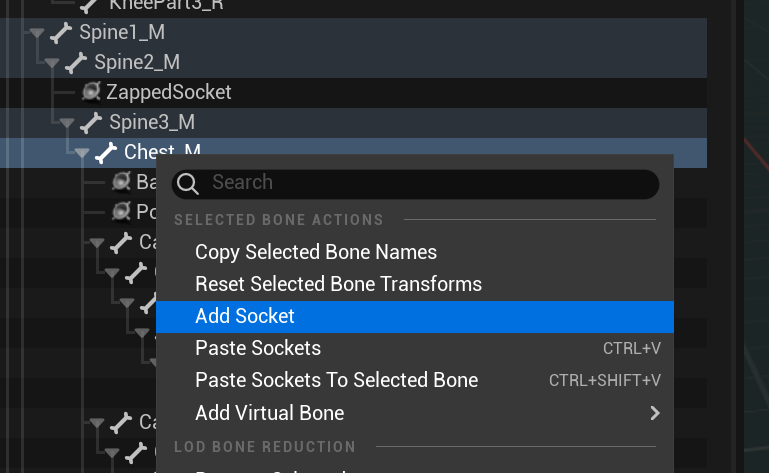
Sockets can be added to your skeleton asset in order to mount certain special effects or other components, they behave much like bones but exist only in the Unreal skeleton asset.
Skeleton Sockets – Unreal Documentation
The following joints should be defined on your skeleton in Unreal in order to support various in-game effects and are assigned by name in your CD_ file, if your skeleton is missing one of these you may add it as a socket or assign a different bone:
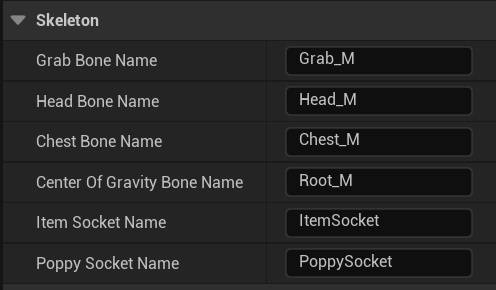
- Grab Bone – When a character grabs another the defender is mounted to this bone during throws, allowing the attacker to control their position during the throw states.
- Head Bone – The bone for the character’s head.
- Chest Bone – The bone for the character’s chest.
- Center of Gravity Bone – The bone for the character’s center of gravity. Usually located at their hips. Used for attaching La Reina’s chair when she Special Pummel 3s them.
- Item Socket – This socket is used to mount items into your character’s hand, mouth or wherever they should hold items. Try to place it in their most visible hand, or the hand they use the least for things like weapons and ledge grabbing.
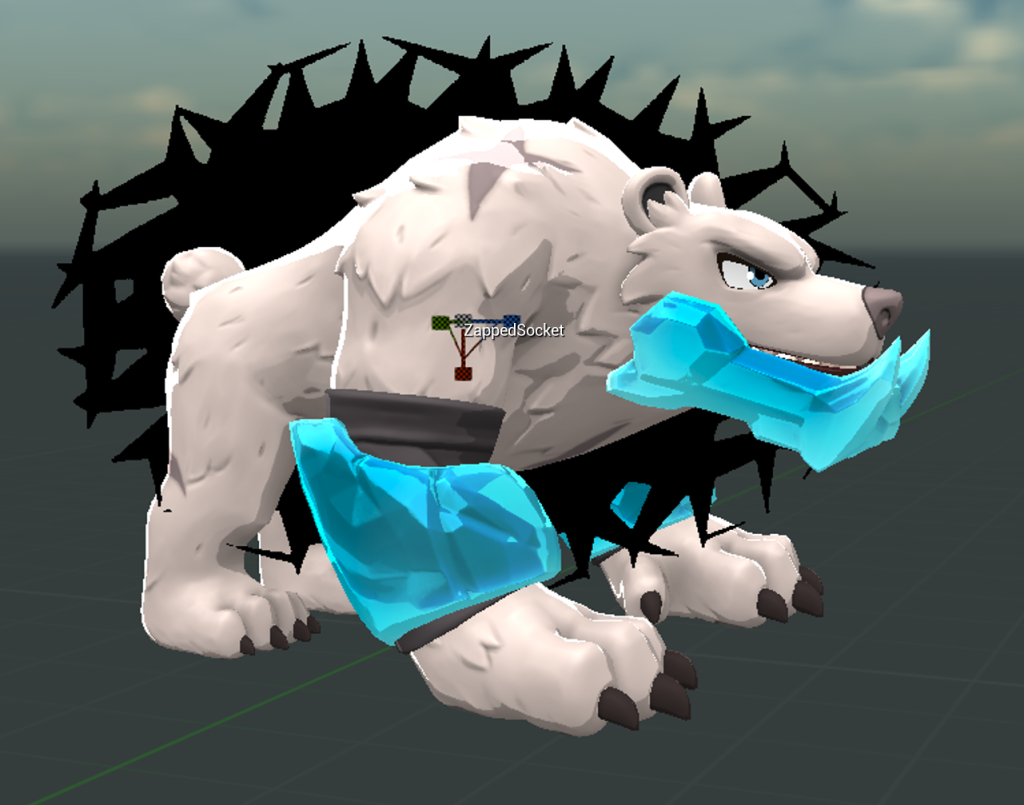
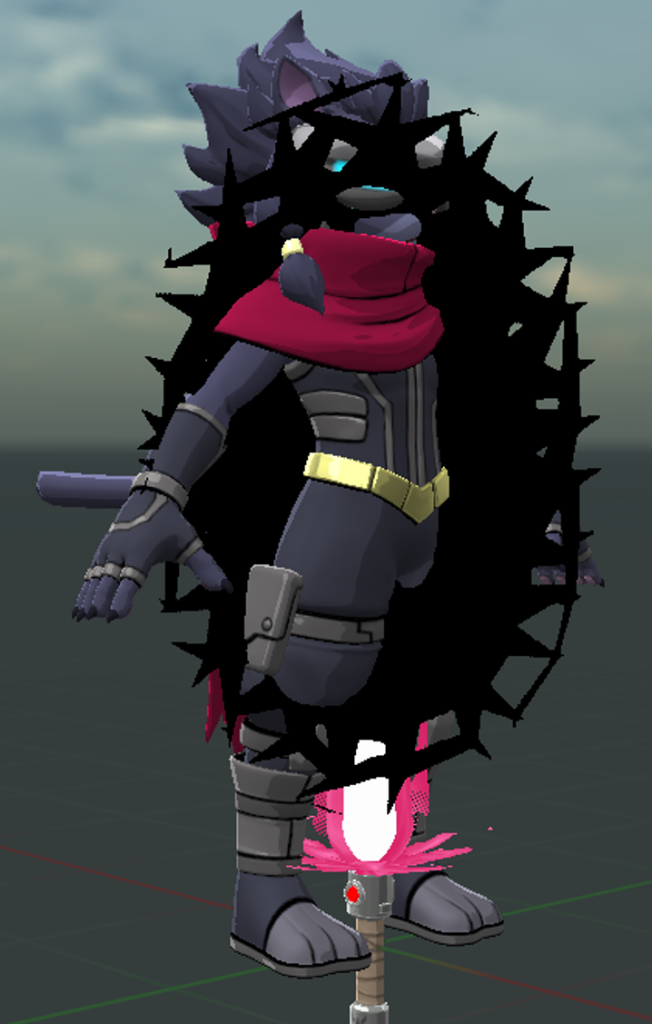
- Zapped Socket – Allows you to define a specific point/orientation for the black spiky effect when Absa shocks you, generally should be placed midway up the character’s spine, and rotated 90 degrees for quadrupeds or wider-than-tall characters.
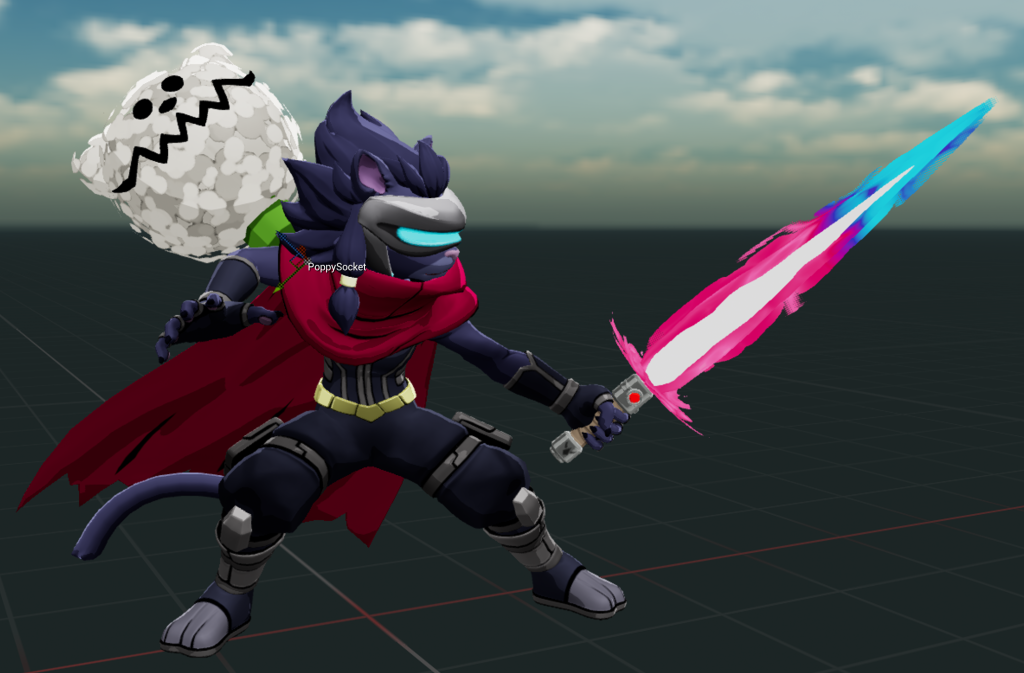
- Poppy Socket – This socket is where Poppy will be mounted when Maypul hits you with a special Pummel. You translate and rotate Poppy to your preferred viewing angle, generally off of the chest bone and angled away from the gameplay camera, but at a highly visible angle.
- Beehive Socket – This socket is where the beehive will be positioned when affected by the beehive item, usually on a character’s head or face.
If you wish you can instead use an existing bone or override it with any other node in your skeleton in the Character Data asset.
Sockets can also be used to mount visuals to your character’s main mesh in the Character Render Blueprint. (eg. Mecha Kragg Gears). This can be useful for adding dynamic danglers etc.
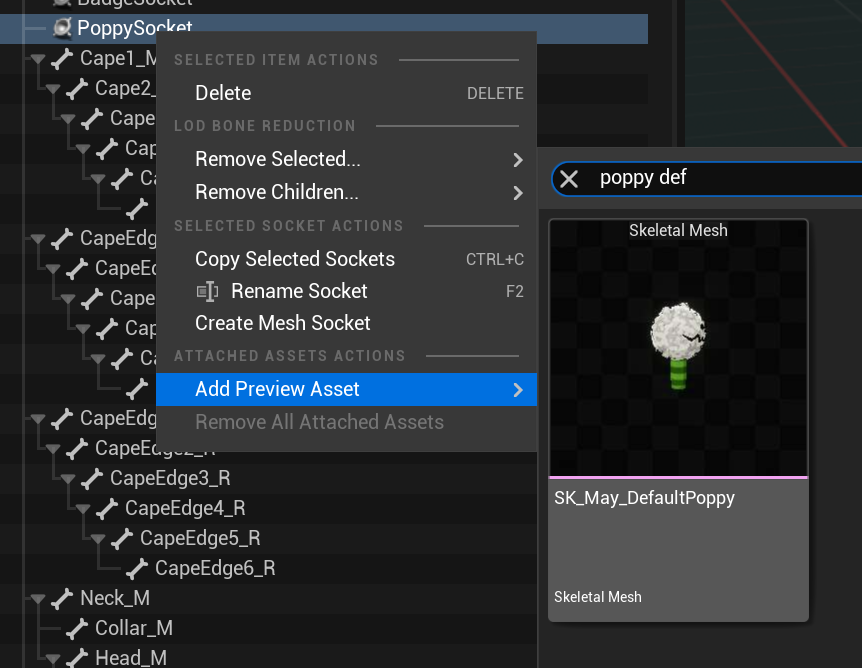
You can preview the position of a mounted object by right clicking on the socket and adding it, then use the transform/rotate tools to get it precisely where you want, you can even preview an animation on the skeleton while doing this.